

Wrap Your Head Around Substack
@YourHandle vs. Publications and Notes vs. Posts

When you arrived on Substack for the first time you created a handle, the @ name you chose when you signed up. If you’ve ever been confused about Notes vs Posts and what to post where, here’s the cozy guide to understanding the Substack system.
Grab your mug of something warm with a cookie (or two) and let’s dive in.
Your Substack Handle
Your profile page is your cozy cottage in the Substack village. This is the place people look when deciding to follow you. Here’s what it looks like and how each section functions.
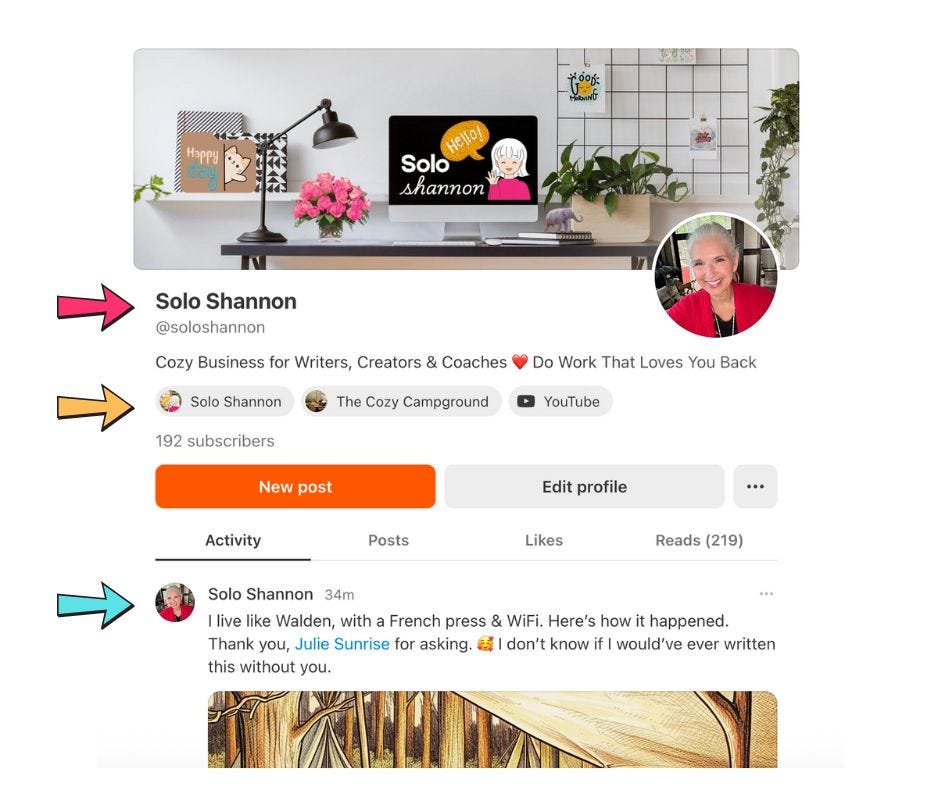
Your name, Substack handle and tagline.
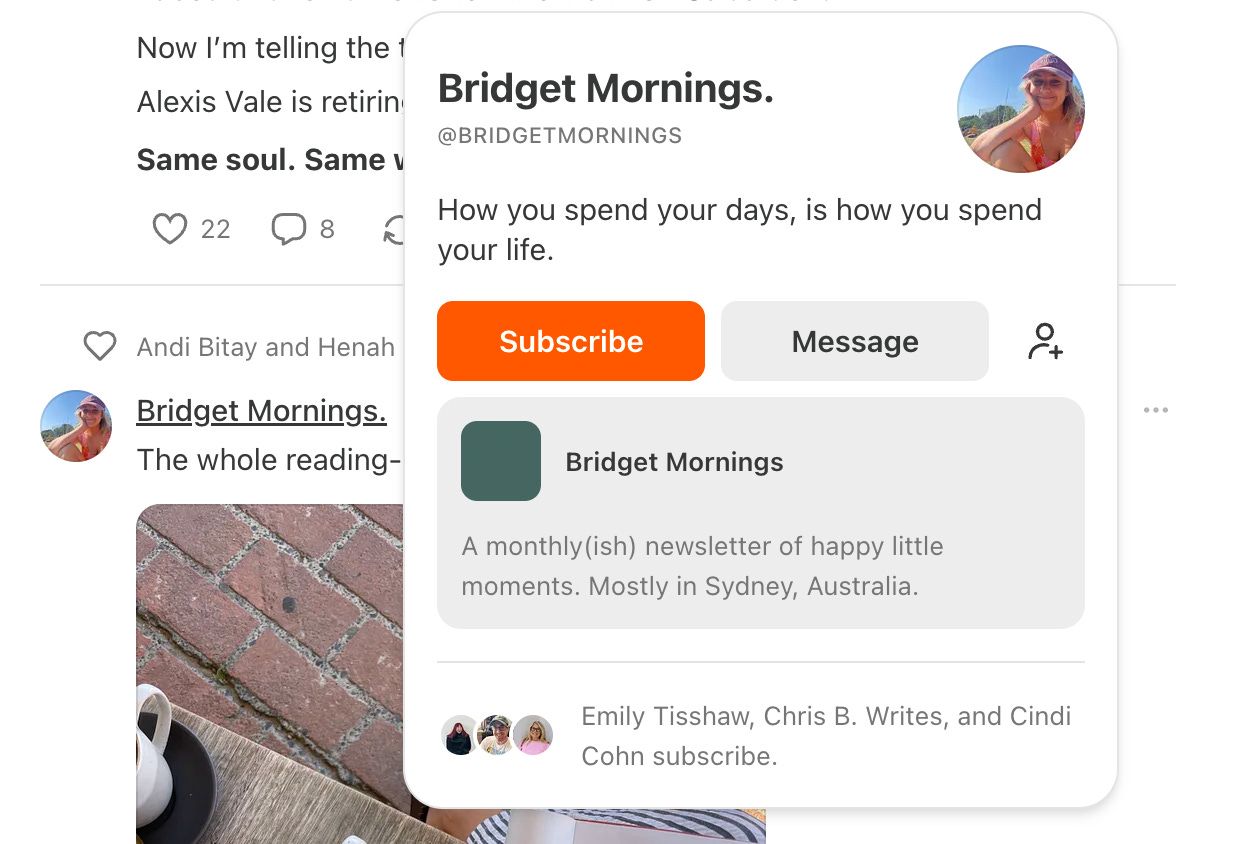
This is how people find you on Substack. This is the information readers will see if they hover over your name in Notes. For example, this is a Note by the lovely Bridget Mornings. If I hover over her name I get a little pop up that tells me what she writes about and a list of the publications she writes.
Your publications & links.
Next, you’ll see a line that holds a link to your publication and any links to off-Substack content. I write two different pubs, they are listed separately and I also include a link to my YouTube channel. But, you can do even more with this line and Cicci Lyckow Bäckman is going to show us how.
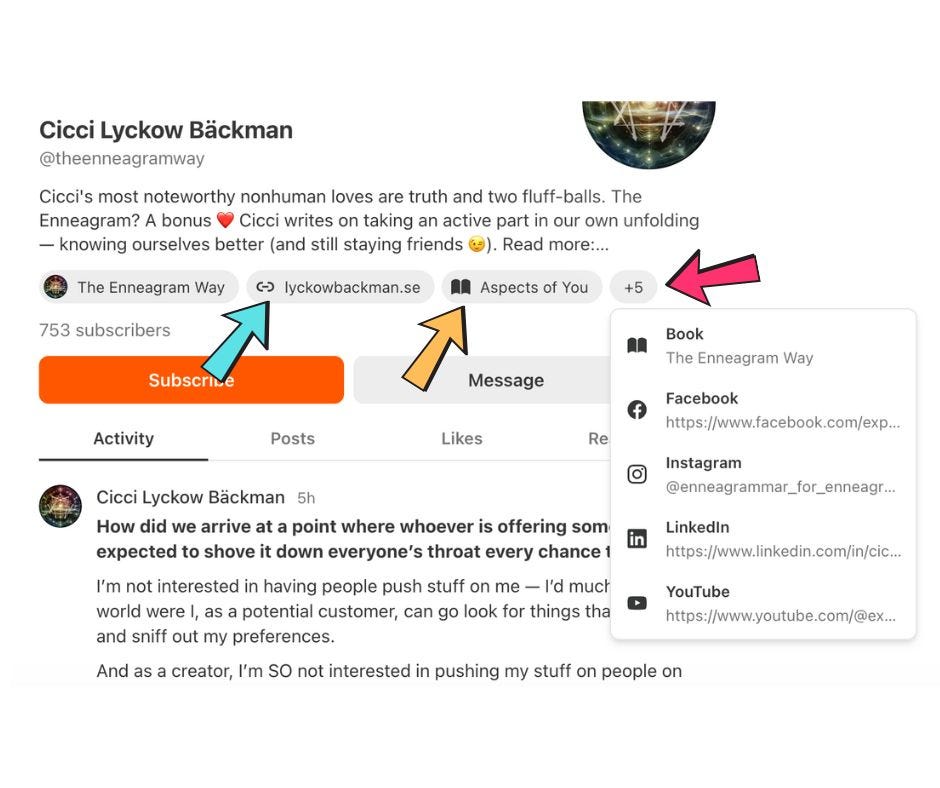
Cicci writes The Enneagram Way, which shows on her profile. But, she’s also the author of two books, she has a YouTube channel, her own website and other social profiles. And they are ALL included in this same line.
Her Substack profile page gives readers access to her portfolio of work in a single click. This is a link tree with authority. Why? Because the evidence of her expertise is displayed as a timeline below the links. This is incredibly powerful psychology baked right into your Substack profile page.
Your Substack Activity Feed
The activity feed shows everything you’ve done on Substack. This holds your Notes history and links to all your Posts (even if you write in multiple Publications).
Substack Notes vs. Posts
A Note is viewable only within the Notes section of Substack. Think of a Note like a thread on X or sharing a post on Facebook. It will get shown to your subscribers and to new people on the Substack app (just another way to say “Notes”). Notes do not get emailed out, they are only visible in the Notes feed.
A Post is an article/blog post in a Publication, yours or one that you’ve been published in. Posts get emailed out to subscribers and added to the Substack app unless you deselect that default setting before you publish.
✨ Best Practice for Sharing Posts in Notes
Your most recent Posts will show in your handle feed with the label “latest post” attached to it. If you share the Post as a Note, the “latest post” entry will disappear and be replaced by the one you shared. Share your Posts as a Note with a line or two of text. This will replace that default “latest post” in your feed.
Your Substack Publication
Your Publication is not just a newsletter. It is a fully functioning website independent of the Substack app. This is really important to understand. Your Substack Posts and Custom Pages are indexed on Google just like a any other website. Notes are not indexed by Google.
SIDENOTE: being indexed by Google is not the same thing as allowing your content to be used for AI training. If you asked for your content to not be used for AI training this will NOT de-index your content from Google. SEO still matters and it’s absolutely relevant to your Substack writing if you want to be discovered. Especially, if you want to be seen as an expert in your field.
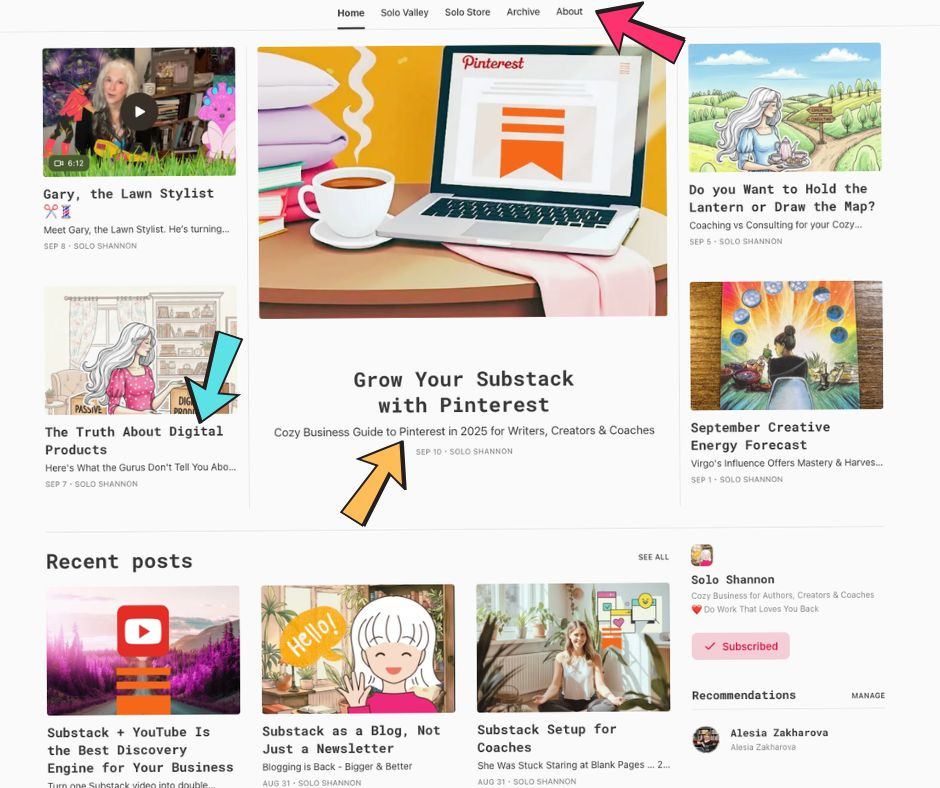
Substack Posts vs. Pages
Posts are just like a blog post on WordPress. Articles, how-to’s, essays, stories...this is the meat & potatoes of your Substack website/publication.
Pages are just like pages on WordPress. Static content that provides information, a product or a service.
Substack operates in a very similar manner to WordPress under the hood.
The homepage of your publication shows your latest Posts. Custom Pages must be added to the Navigation Bar manually in Settings. Your About page will show up automatically.
You can also create Pages to serve as Landing Pages or Squeeze Pages from other sites or social media.
Multiple Publications
I’m a multi-passionate writer and artist. I know you are too. Substack allows you to have as many publications as your imagination can come up with. It’s not at all hard to manage more than one.
The Substack Dashboard
Substack puts all your Publications on the same easy-to-use Dashboard. Just toggle the Publication name tab to access any of your other pubs in one click.
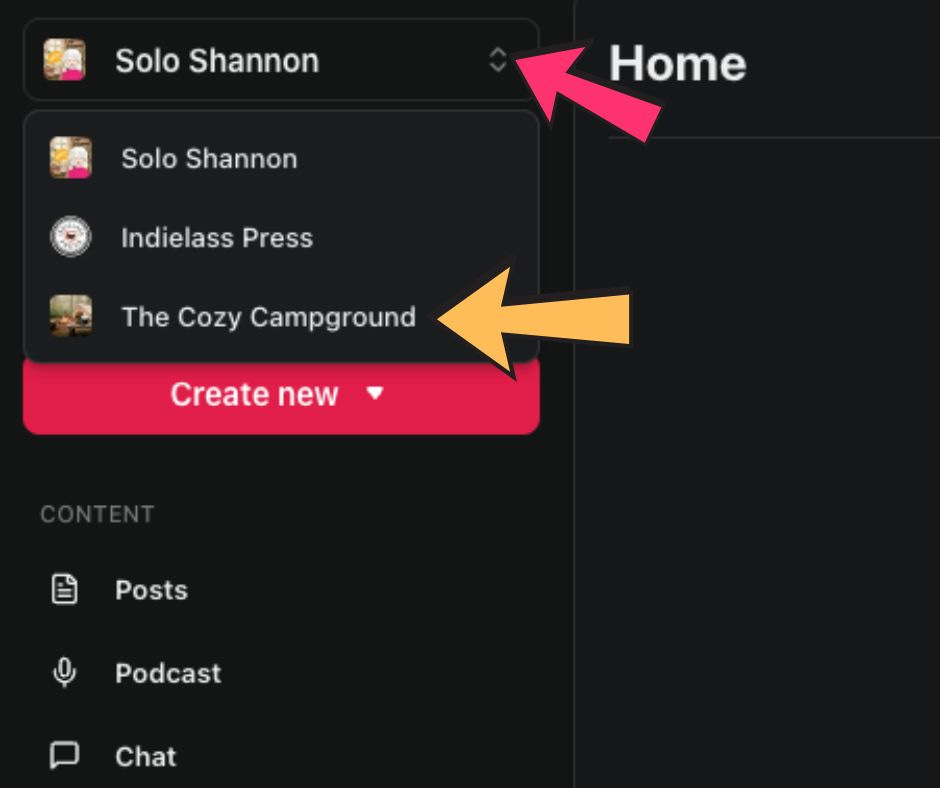
This publication, Solo Shannon, is my main. But I also write The Cozy Campground and soon I’ll be launching Indielass Press, the imprint I started for myself and other indie authors who want to self-publish without using KDP.
My point is this — Substack gives you all the tools you need to build way more than a newsletter, friend. You can build your own little cozy business empire. That’s my plan, and we can do it together if you want my help.
If you found value in this post, please share it with your Substack friends.
You Might Also Like:
Grow Your Substack with Pinterest

Remember when you could scroll Pinterest and find dozens of new blogs to read? We can make that happen again. Join me in the fight to reclaim our beloved visual search engine and banish the spammers back to Instagram. This is your cozy business guide to growing your Substack with Pinterest going into 2026.
Do you have a guide for setting up landing pages in Substack? Thanks for your energy. I’m 60 and starting a new career here after having to close a successful business. Appreciate finding another mature woman who isn’t afraid to pivot.
This is by far the most helpful information for newbies like me. Thank you!